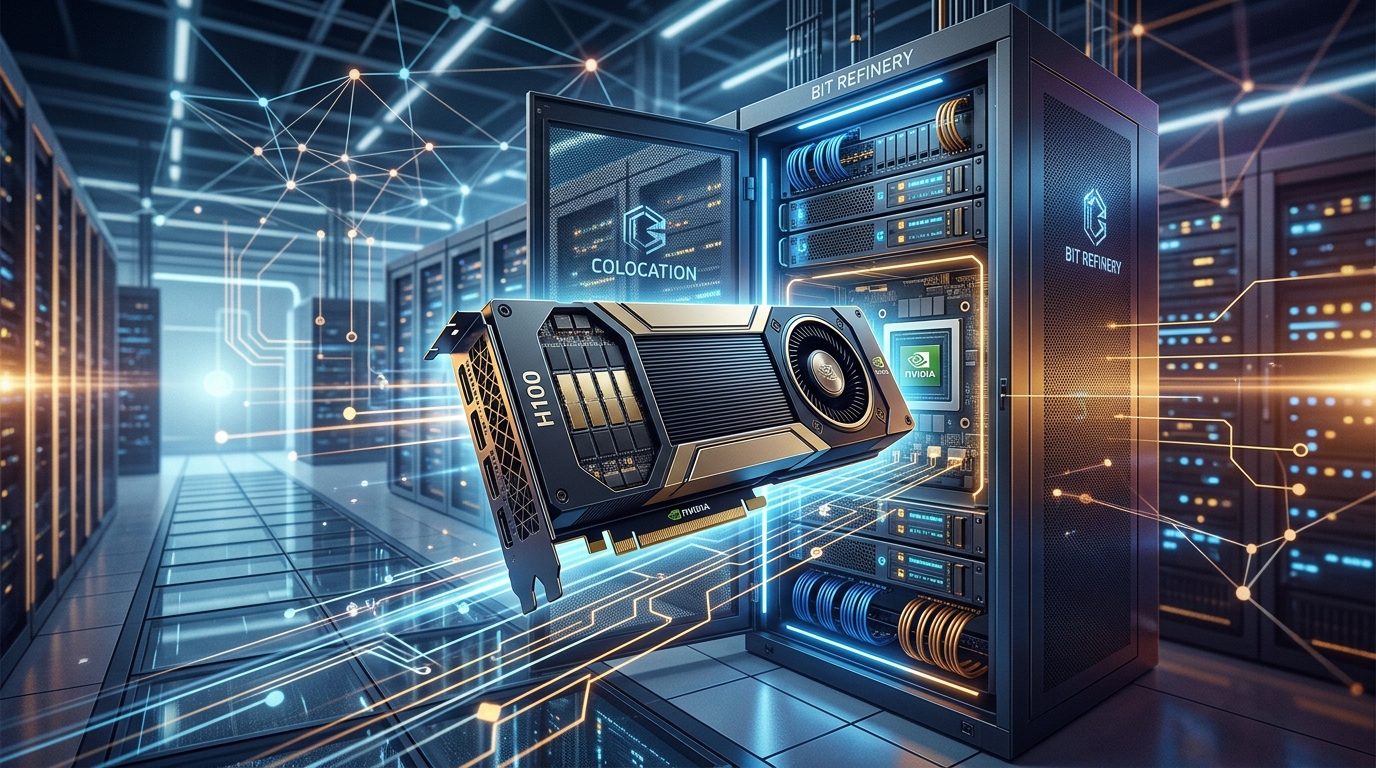
If you're running serious AI or ML workloads, you already know the pain. Cloud GPU rentals are expensive — brutally so. An NVIDIA H100 on a major cloud provider can run you $25–$35 per hour depending on availability, region, and whatever pricing tier you've negotiated. That's $18,000–$25,000 a month for a single GPU. And if you need a cluster of eight or sixteen? The math gets ugly fast.
We've been watching this problem compound for a couple years now, and honestly, it's one of the reasons we built out our BYOGPU service. The model is simple: you own the hardware, we host it, manage the infrastructure around it, and get you connected within 48 hours.
What BYOGPU Actually Means
BYOGPU stands for Bring Your Own GPU. You purchase the GPU hardware outright — whether that's an NVIDIA H100, H200, A100, L40S, RTX 4090, RTX 5090, or even an AMD MI300X — and ship it to our Denver or Seattle data center. We rack it, cable it, configure the networking, and hand you full SSH, IPMI, and VPN access.
Pricing starts at $600/month per GPU. That includes power, cooling, connectivity, and our 24/7 infrastructure management. You're not renting compute time — you have dedicated, always-available access to your own hardware.
For teams running workloads more than a few days a month, the ROI is almost immediate.
The Math Is Pretty Hard to Argue With
Let's say you need four H100s for a training pipeline that runs continuously. On a major cloud provider, you're looking at roughly $70,000–$100,000 per month in GPU rental costs. That's not counting egress, storage, or the other services you'll inevitably pull in.
With BYOGPU, you buy four H100 SXM5 cards — call it $120,000–$140,000 total hardware cost, depending on where you source them. Colocation at Bit Refinery runs around $2,400/month for four GPUs. You break even somewhere around month two. Everything after that is money back in your pocket.
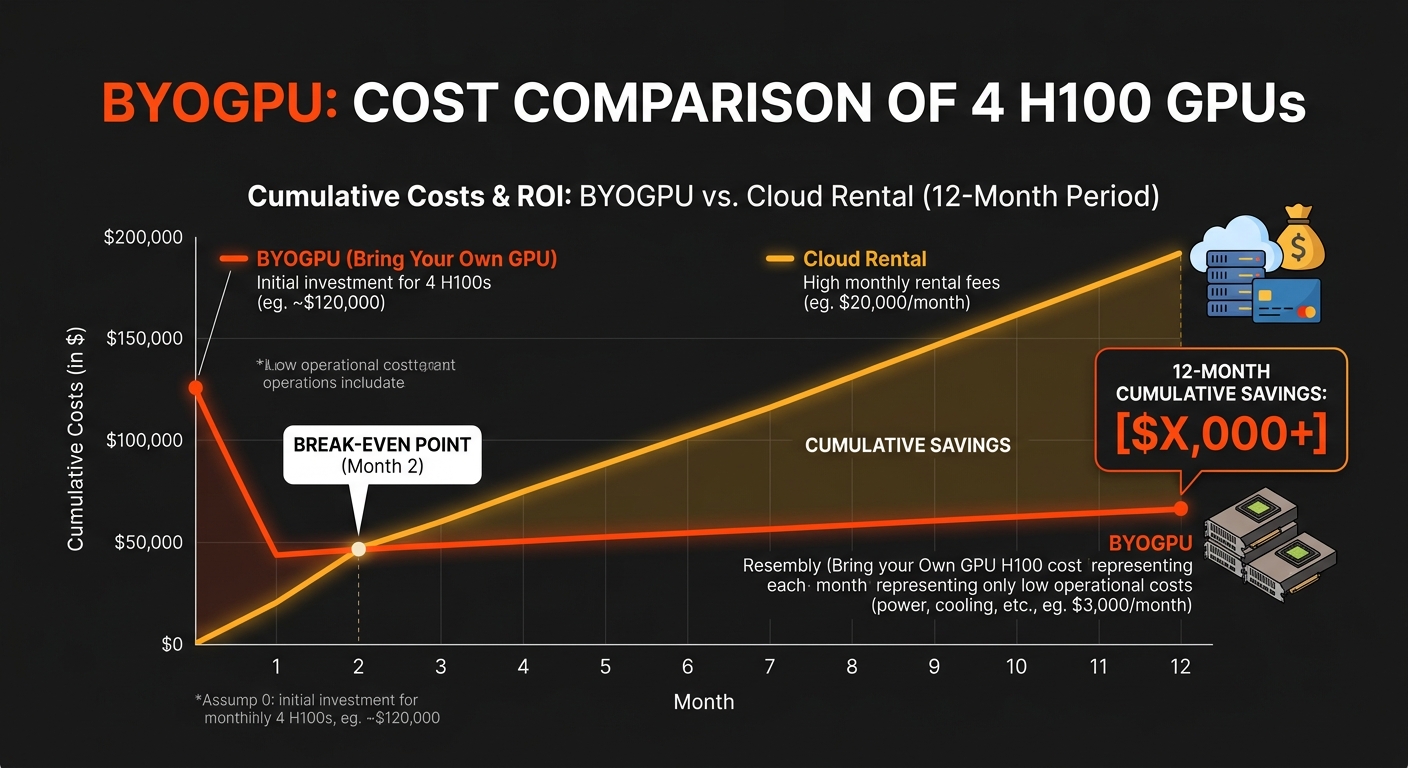
Even at three months, you're ahead. And the hardware is yours — it doesn't disappear when a spot instance gets preempted or a reserved instance term ends.
What We Handle, What You Control
This is where it gets interesting for engineers. We handle the stuff that's genuinely annoying to deal with in-house:
- Physical installation and cabling
- Power and cooling management (our Denver facility runs 14.4 MW across 180,000 sq ft)
- Network connectivity — 1 Gbps included, with enterprise Juniper switching
- 24/7 monitoring of the physical infrastructure
- IPMI access so you can manage the machine remotely at a hardware level
You retain full control over everything that matters for your workloads: the OS, drivers, CUDA versions, container runtime, orchestration layer, whatever. We're not putting a management plane between you and your GPU. No hypervisor tax, no shared-tenant noise, no waiting for a cloud provider's support team to explain why your instance is slow.
VPN access is set up as part of onboarding. You're connected within 48 hours of us receiving your hardware.
Hardware We Support
We're not picky about GPU vendors. Current supported hardware includes:
- NVIDIA: H100 (SXM5 and PCIe), H200, A100, L40S, RTX 4090, RTX 5090
- AMD: MI300X
If you've got something not on that list, reach out — we can usually accommodate it. The infrastructure is flexible and we'd rather figure it out than turn away a good workload.
Why Bare Metal Matters for GPU Workloads
This is something that doesn't get talked about enough. Virtualization overhead is real, and for GPU workloads it can be significant. When you're running training jobs that take hours or days, even a 5–10% performance hit from a hypervisor layer adds up. On bare metal, you're getting direct hardware access — full PCIe bandwidth, no noisy neighbors, no resource contention from other tenants on the same physical host.
Our servers run on Dell PowerEdge rack hardware with Intel Xeon and AMD EPYC processors, up to 3 TB of DDR4/DDR5 memory. The storage and networking are built for data-intensive workloads, not general-purpose cloud compute. There's a difference, and you feel it.
The Denver Advantage
One thing worth mentioning specifically for teams working with Google Cloud: our Denver data center includes a free private peering connection to GCP. No port fees, no cross-connect charges. Data flowing from your bare metal hardware into Google Cloud costs nothing on our side, and GCP egress back to bare metal runs around $0.02/GB — compared to $0.08–$0.23/GB over the public internet.
If your pipeline involves training on bare metal and then serving via Vertex AI, or pulling datasets from Cloud Storage, that interconnect alone can save thousands a month. It's included. No upsell.
Minimum Commitment and Getting Started
We ask for a 3-month minimum commitment — after that it's month-to-month. That's it. No multi-year lock-in, no complicated contract negotiations, no surprise fees at the end of the month.
The process is straightforward:
- Get in touch with us to confirm your hardware and capacity needs
- Ship your GPUs to our data center
- We install, configure, and run connectivity tests
- You get SSH, IPMI, and VPN credentials within 48 hours
- Start running workloads
Who This Is For
Honestly, BYOGPU makes the most sense for teams that have moved past the "experimenting with AI" phase and are running production or near-production workloads. If you're doing model training, fine-tuning, inference at scale, or building out an internal AI platform, the economics of owning hardware and colocating it are just better than renting indefinitely.
It's also a good fit for companies with compliance requirements that make shared cloud infrastructure complicated — you have dedicated hardware, dedicated networking, and full control over what runs on it.
If you're still in early exploration mode and running sporadic jobs, cloud rentals might still make sense. But once you hit consistent utilization, the calculus flips pretty quickly.
Want to talk through whether BYOGPU makes sense for your workload? Get in touch with our team — we're happy to run the numbers with you.