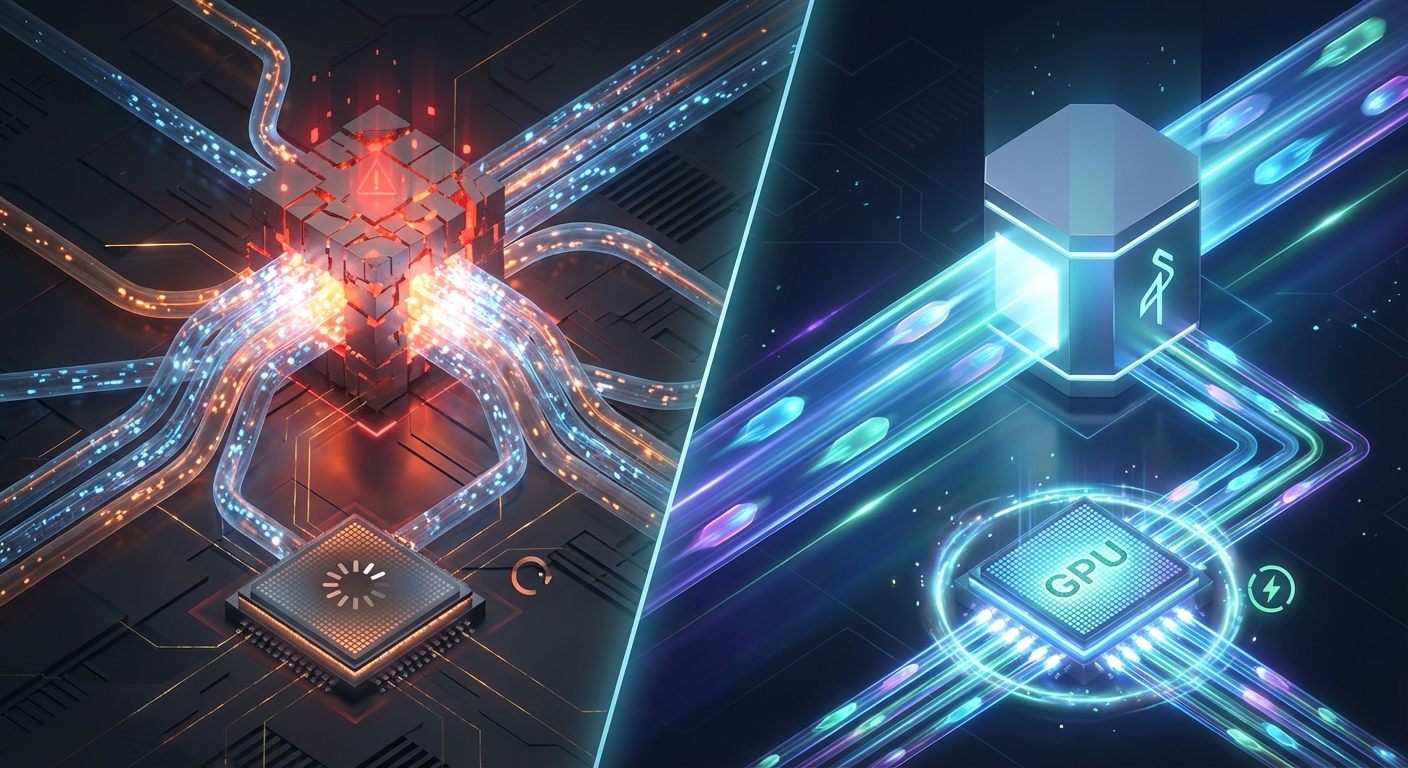
There's a moment every ML team hits — usually at 3am during a training run — where the storage layer becomes the bottleneck. Your GPU cluster is sitting there, expensive and idle, waiting on data. The S3 bucket is getting hammered by three other teams. Throughput tanks. The training job stalls or throws errors. And you're left wondering why you're paying for H100s that are basically doing nothing.
If that sounds familiar, this post is for you.
We're going to talk about the real difference between shared and dedicated MinIO object storage for AI workloads, when it makes sense to upgrade, and what that transition actually looks like in practice.
Why Object Storage Matters So Much for AI
AI training datasets are... big. Like, embarrassingly big. A mid-sized computer vision project might have hundreds of millions of image files. LLM pretraining corpora can run into tens of terabytes of tokenized text. Video datasets for diffusion models? Don't even ask.
And it's not just the size — it's the access patterns. Training pipelines do a lot of small, random reads. Evaluation jobs might scan entire dataset partitions sequentially. Data preprocessing scripts write intermediate outputs constantly. Checkpointing saves model weights at regular intervals. All of this is happening concurrently, often from multiple nodes in a distributed training cluster.
Shared object storage handles a lot of this fine... until it doesn't. The problems tend to sneak up on you.
The Shared Storage Ceiling
Shared MinIO clusters are great for getting started. Multi-tenant, flat monthly pricing, bucket isolation — it's a clean setup and it works well for plenty of workloads. But shared infrastructure means shared resources. When your neighbor tenant kicks off a massive data migration job at the same time your training run starts, you both pay the price.
Some of the symptoms we see most often:
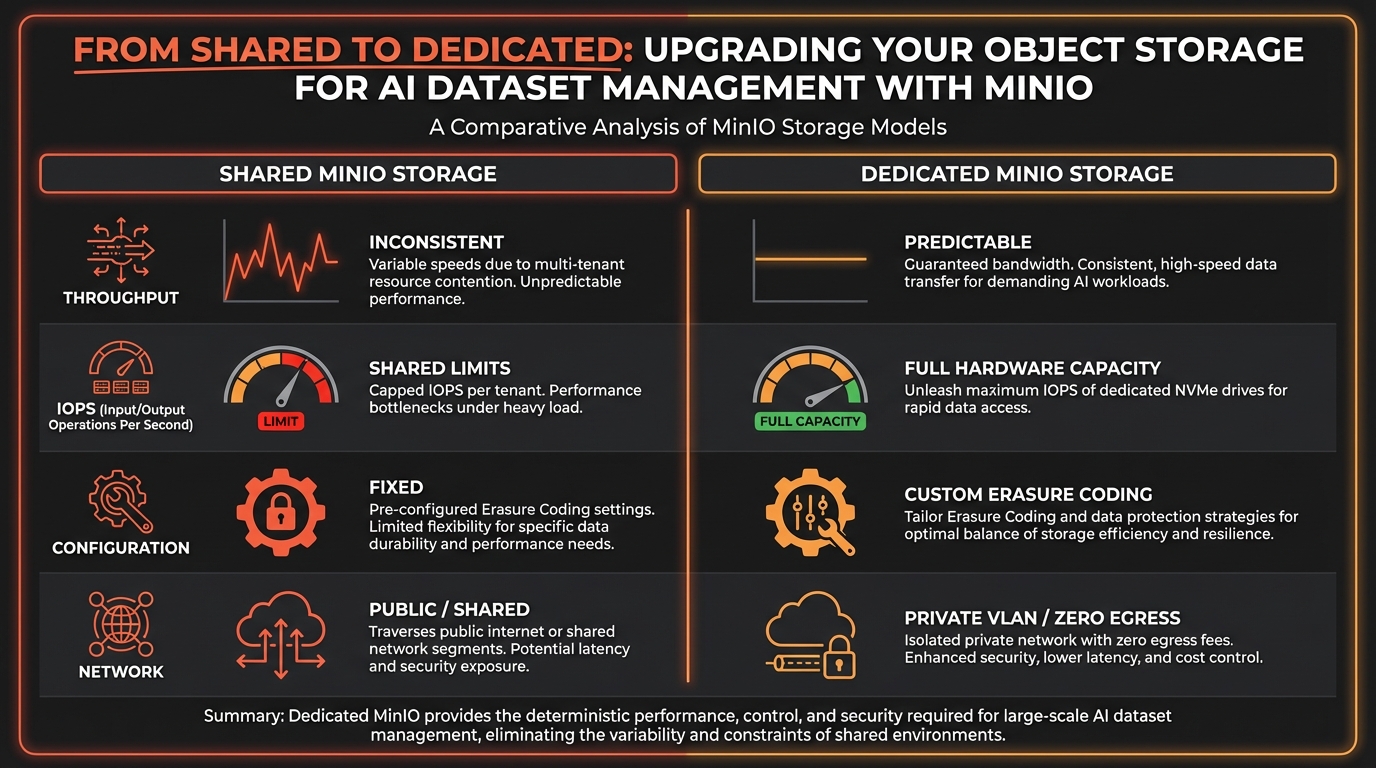
Inconsistent throughput. Your pipeline benchmarks at 8 GB/s on Tuesday morning and 1.2 GB/s on Friday afternoon. Not because your code changed, but because the cluster is under different load.
IOPS contention. Lots of small file reads — think image datasets with millions of individual JPEGs — can saturate shared IOPS limits fast. Your training dataloader starts blocking and your GPU utilization drops off a cliff.
No tuning control. Erasure coding profiles, drive allocation, network topology — on shared infrastructure, those decisions aren't yours to make. You get what you get.
Compliance headaches. Healthcare imaging datasets, financial training data, anything with PII — shared multi-tenant storage makes compliance conversations uncomfortable. Even with bucket-level isolation, auditors want to see physical separation.
At some point, the ceiling is real and you hit it hard.
What Dedicated MinIO Actually Gives You
Dedicated MinIO on bare metal is a fundamentally different animal. You're not sharing anything — not the drives, not the network interfaces, not the CPU that's handling erasure coding. It's all yours.
Here's what changes:
Predictable, Consistent Performance
This is the big one. When you're running a 200-node training cluster and every node is pulling data simultaneously, you need to know what your storage can actually deliver. On dedicated hardware, you can benchmark it, tune it, and rely on those numbers. No more mystery throughput drops.
NVMe drives in a RAID6 configuration with MinIO's erasure coding on top can push serious sequential throughput — we're talking tens of gigabytes per second depending on the hardware tier. That's enough to keep even large GPU clusters fed.
Custom Erasure Coding and Replication
MinIO lets you configure erasure coding at the pool level. On shared infrastructure, you're stuck with whatever profile the operator chose. On dedicated, you can optimize for your specific durability requirements and performance tradeoffs. Fewer parity shards means more usable capacity and faster writes. More parity means better fault tolerance. You get to decide.
Full Admin Console Access
This sounds minor but it's not. Being able to set lifecycle policies, configure tiering, manage IAM policies, set bucket quotas, inspect object metadata — having the full MinIO admin console means your data engineers can actually manage the storage layer instead of filing tickets and waiting.
Network Isolation
With dedicated storage on bare metal, you can put your training cluster and your MinIO nodes on the same private VLAN. No public internet hops, no egress fees, just raw internal bandwidth. For large-scale training this is a massive deal — the difference between your storage being a bottleneck and it being essentially invisible.
The Migration Path Is Smoother Than You Think
A lot of teams put off the shared-to-dedicated upgrade because they're scared of the migration. Honestly? It's not that bad, especially with proper tooling.
MinIO's mc mirror command handles parallel object replication between buckets. For large datasets you can run validation in parallel — checksums, object counts, metadata comparison — so you're not flying blind. The migration can happen while your existing workloads keep running on the shared cluster, and you cut over when you're confident everything's replicated correctly.
We've helped teams migrate petabyte-scale datasets this way with zero downtime on active training jobs. The key is planning the cutover window carefully and having rollback steps defined before you start.
When Should You Actually Make the Move?
Not every team needs dedicated storage right now. Here's a rough heuristic:
- You're running distributed training on 8+ GPUs and storage is measurably your bottleneck
- Your dataset is larger than ~50TB and growing
- You have compliance requirements that need physical data isolation
- You're spending more than a few hundred dollars a month on egress fees from cloud object storage
- Your data engineering team needs more control over storage configuration than shared infrastructure allows
If two or more of those are true, it's worth having the conversation.
The Cost Angle
Dedicated bare metal storage is more expensive upfront than shared, obviously. But the comparison point shouldn't be shared MinIO — it should be what you're paying AWS or GCP for equivalent storage and, crucially, egress.
If you're pulling terabytes of training data from S3 into EC2 instances daily, the egress costs alone can be staggering. AWS charges $0.09/GB out of S3 to the internet. Even within the same region, cross-service data transfer adds up. We've seen teams spending $15,000+ a month just on egress for training workloads.
On bare metal with dedicated MinIO, egress is $0. The storage is on the same network as the compute. That changes the math pretty dramatically.
MinIO's AiStor Platform
Worth mentioning: MinIO offers a commercial platform called AiStor specifically designed for AI/ML workloads at scale. It adds enterprise features on top of the core MinIO stack — better observability, support contracts, features built around the specific access patterns of training pipelines. For teams operating at exabyte scale or with serious enterprise support requirements, it's worth looking at.
We offer AiStor deployments on dedicated bare metal if that's the direction you're heading.
Wrapping Up
Shared object storage is a perfectly reasonable starting point. But if your AI training pipeline is scaling up and you're starting to feel the friction — inconsistent throughput, IOPS contention, compliance concerns, egress bills that make you wince — dedicated MinIO on bare metal is probably the right next step.
The performance difference is real. The control difference is real. And when you do the full cost comparison including egress, it often pencils out better than staying on cloud storage anyway.
If you want to talk through whether dedicated MinIO makes sense for your workload, reach out to us. We're happy to look at your specific situation and give you an honest answer, even if that answer is "not yet."